
IMPORTANT: Nacsport and HubUploader work best with Full Disk Access on macOS to read and save video and project files across your Mac and external drives. Please follow the steps below before using either application.
macOS Full Disk Access Setup
Before you start, make sure both Nacsport and HubUploader are installed in your Applications folder, and quit both apps if they are open.
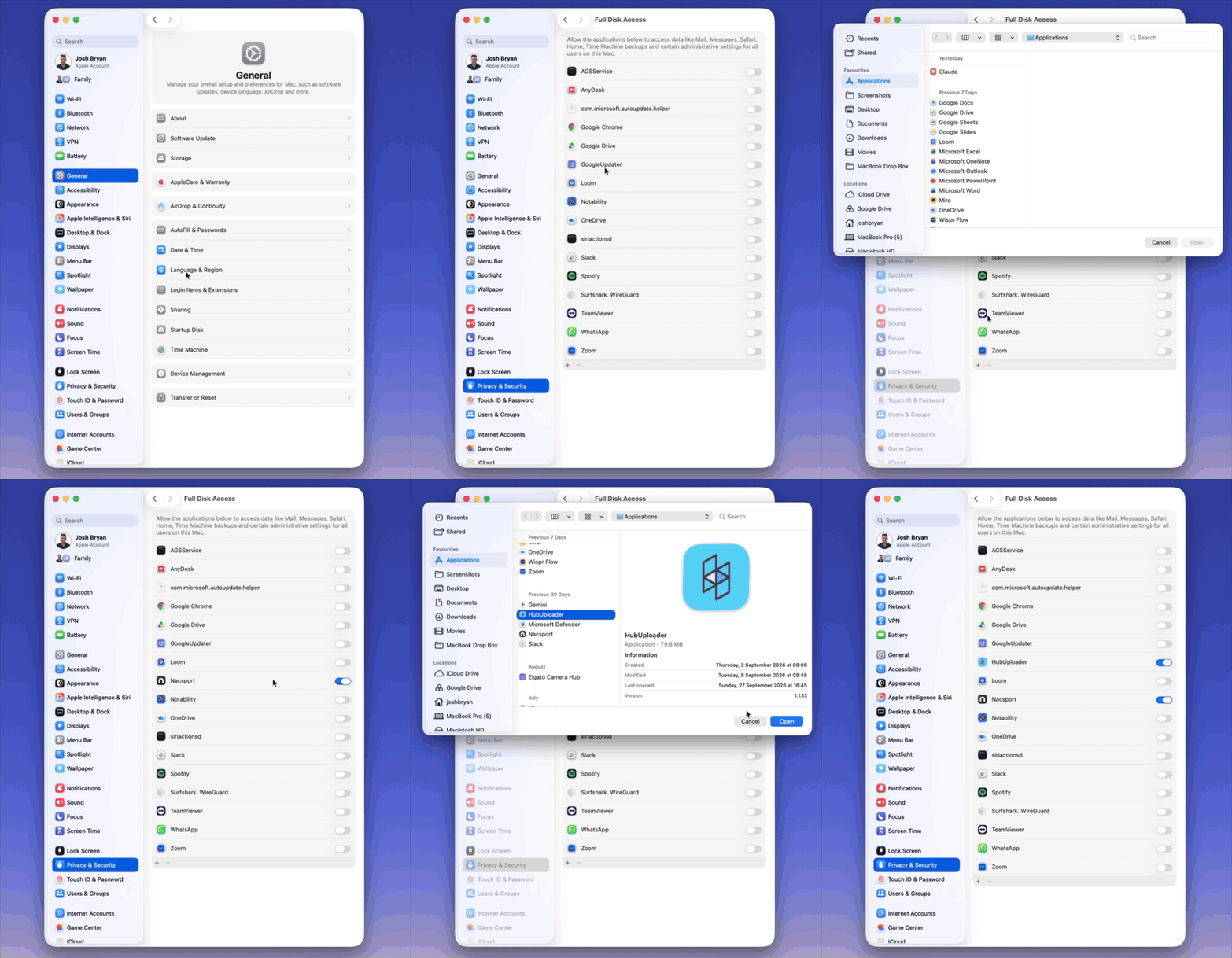
To open the Full Disk Access settings:
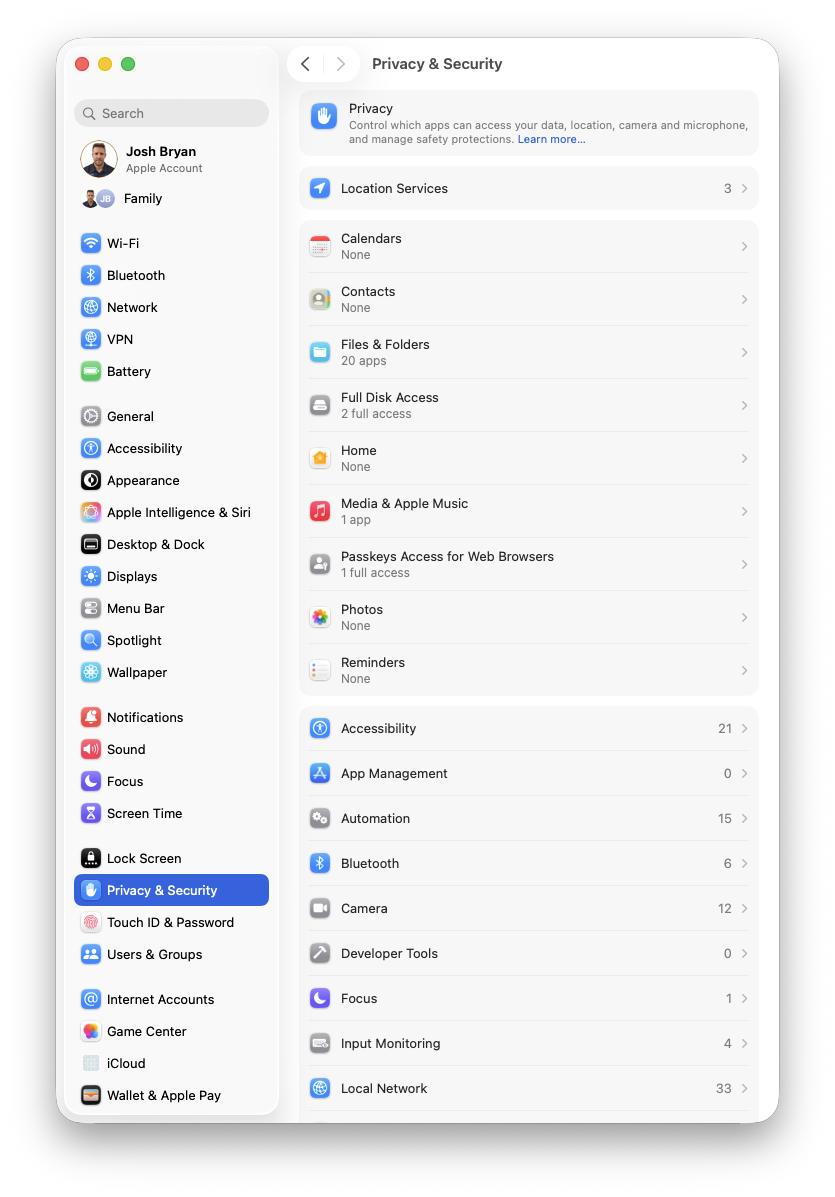
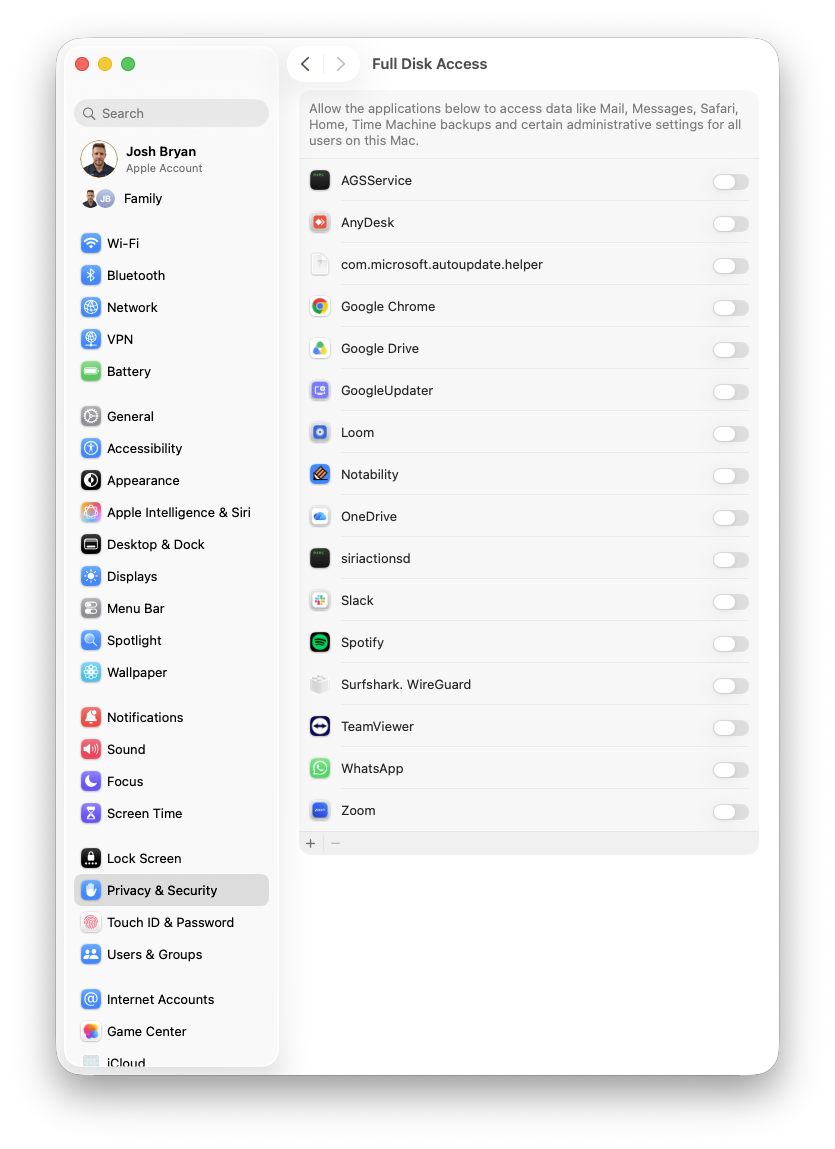
To add Nacsport and HubUploader to the list:
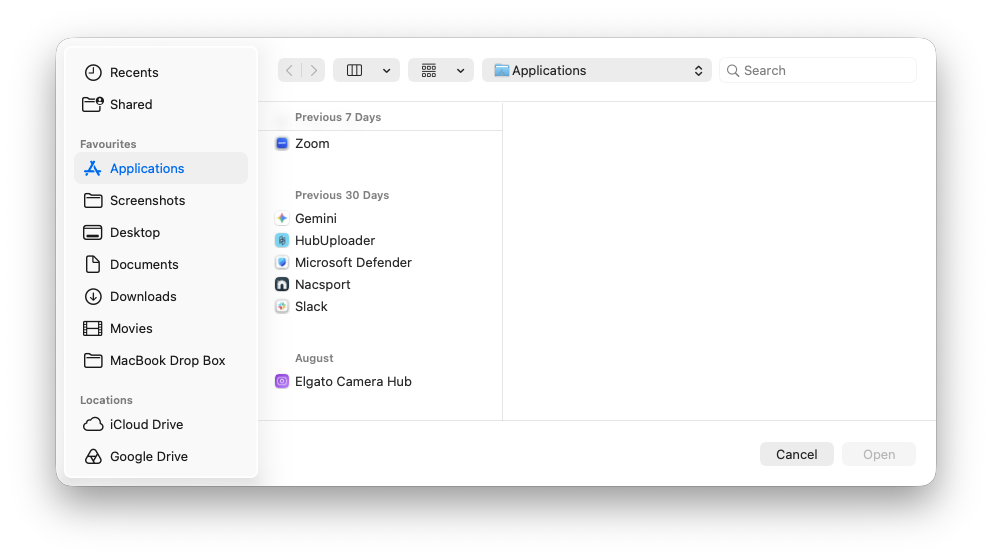
Make sure the toggles next to Nacsport and HubUploader are both switched ON (blue).
If Nacsport or HubUploader is already in the list, just switch its toggle ON. You don't need to add it again.
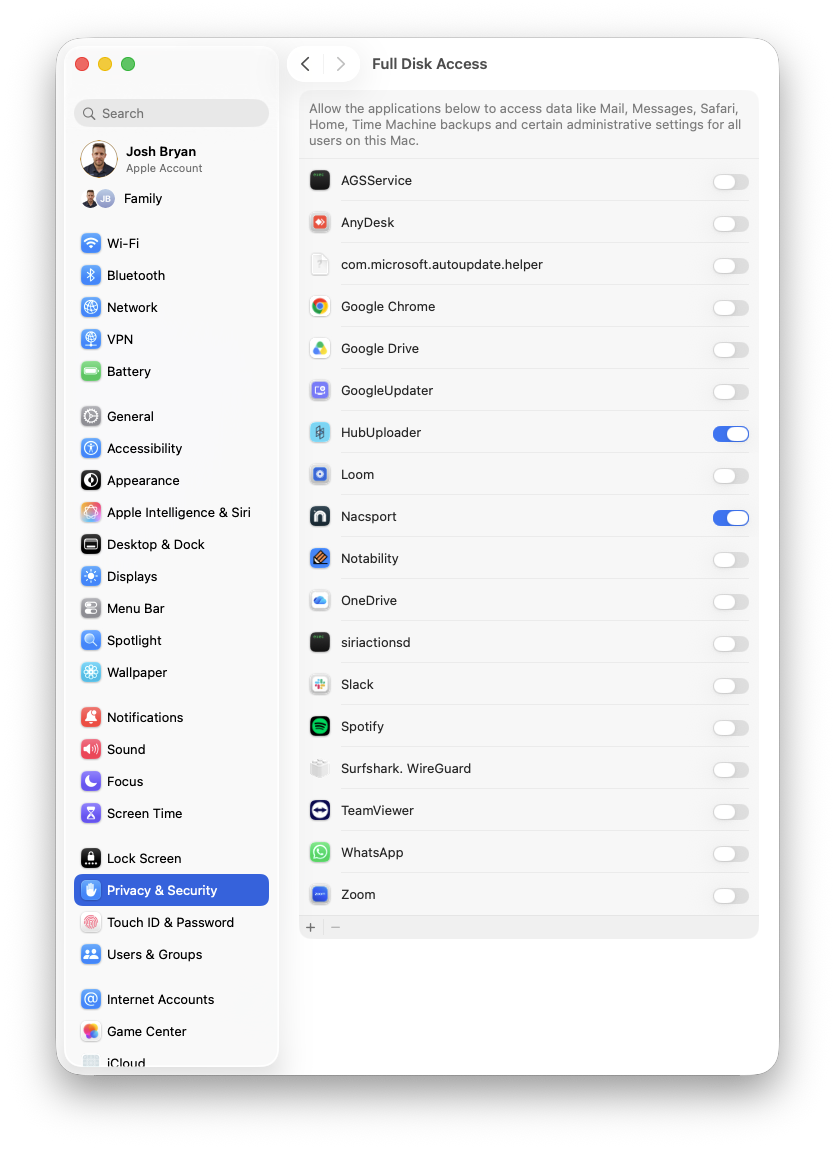
If macOS asks you to quit and reopen the application, choose Quit & Reopen (or Later if the app isn't running). Nacsport and HubUploader will now have Full Disk Access, and you shouldn't need to repeat these steps.
IMPORTANT: If either application still can't access your files after following these steps, restart your Mac and try again. If the problem continues, please contact the support team.